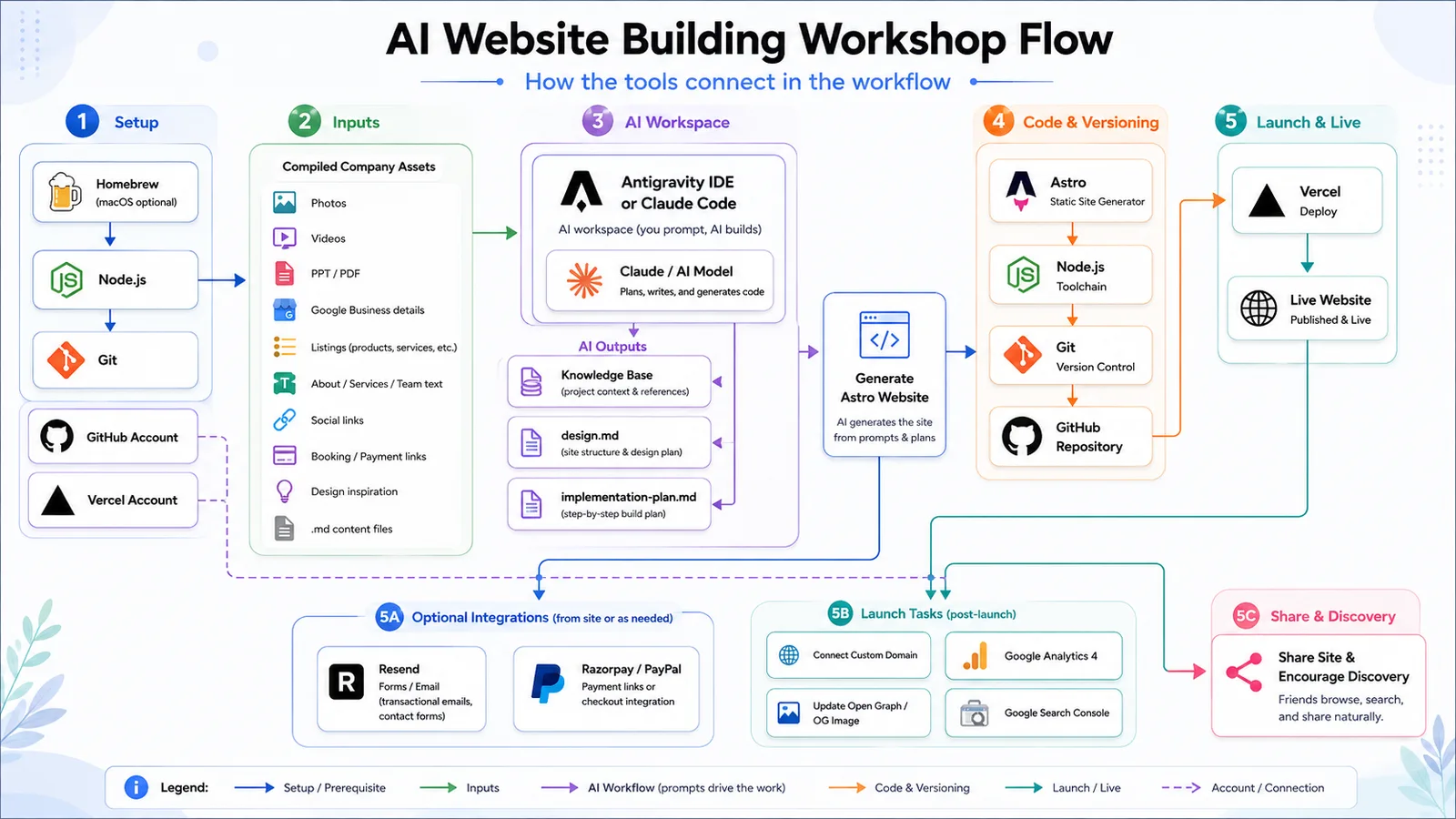
A prompt-first class: turn a folder of company assets into a fast, mobile-ready website — built by an AI coding agent, reviewed by you, and deployed live on Vercel. No manual scaffolding. Just briefing, supervising, and shipping.
You build by directing an AI agent — turning a prepared folder of assets into a static Astro site, then reviewing and launching the result. Four beats, start to finish.
Gather your assets into one clean folder — logo, photos, copy, links, inspiration.
Brief the AI step by step: understand, design, plan, then build.
Run it locally, screenshot issues, iterate with the agent until it's right.
Push to GitHub, deploy on Vercel, connect a domain, go live.
The class is not about hand-scaffolding Astro. It is about briefing, supervising, testing, and iterating with the AI.
The agent runs the setup and build commands. Your skill is the brief and the review — knowing what to ask for, and catching what's wrong.
Get stuck? Screenshot the problem, paste it to your AI, and ask for the fix. That loop is the whole skill.
Required
Nice to have
Everything required has a free tier. You can install each tool by Googling, or ask your AI to walk you through it.
Each chat model pairs with an agentic IDE that runs commands on your machine. Pick one lane and stay in it.
The chat model and its terminal-native agent.
Gemini Pro driving Google's agentic IDE.
ChatGPT with OpenAI's coding agent.
VS Code, Cursor, and Windsurf also work as the editor. The workflow and prompts are the same whichever you choose.
This is the main human task before the AI starts. Collect everything it will turn into your site:
company-assets/
content/
about.md
services.md
team.md
locations.md
faq.md
images/
videos/
docs/
listings/
design/
inspiration/
links.md
Already have a website? Point the AI at it and have it scrape everything into this structure for you.
Don't jump to "build a site." Make the AI understand, design, and plan first — then build, review, and deploy.
We are creating a website for [COMPANY].
Use the provided company-assets folder. The site will be
built with Astro and deployed on Vercel through GitHub.
GitHub username: [ ]
GitHub email: [ ]
Repo URL: [ ]
Do not build yet. Analyze all assets and create
knowledge-base.md with: identity, offerings, audience,
tone, locations, CTAs, booking/payment links, social
links, and missing content questions.
Point the AI at your folder and have it read everything, then write a knowledge base. Don't let it build yet.
Review & approve
Using knowledge-base.md and the design/inspiration
assets, create design.md.
Include colors, typography, spacing, buttons, cards,
icons, shapes, image treatment, hero layout, section
style, mega menu direction, footer style, animations,
accessibility, and mobile rules.
Make the design premium, fast, and practical for an
Astro static website.
design.md becomes the single source of truth the AI re-reads for everything it builds next — which also cuts token usage.
Review & approve
Create implementation-plan.md for the Astro website.
Use knowledge-base.md and design.md. Plan pages, routes,
content structure, components, mega menu, footer, SEO
metadata, Open Graph, sitemap, robots.txt, analytics,
booking/payment links, and optional Resend forms.
Do not code yet. List the files you will create or
edit.
A plan keeps the agent on track and gives you a checklist to approve — including the exact files it will touch.
Review & approve
Proceed with the implementation plan.
Create the Astro project, add required dependencies,
set up folders, and build the site from the assets and
Markdown content.
Include responsive pages, mega menu, footer, social
links, CTAs, booking links, and optional payment links.
Prioritize small-screen mobile layout, including
Samsung S23 FE.
After coding, explain how to run locally.
Scaffolding = the agent runs terminal commands to create the project. Keep a human in the loop, and back up your folder first.
Review & approve
I reviewed the local site. Please fix these issues
only:
[PASTE SCREENSHOTS OR NOTES]
Also audit mobile spacing, header/mega menu, images,
broken links, CTAs, accessibility, and visual
consistency with design.md.
Make targeted fixes and summarize what changed.
Make one change at a time when starting out. Check desktop and mobile (DevTools device toolbar). Use screenshots as evidence.
Review & approve
Add launch essentials.
Set up SEO titles, meta descriptions, canonical
placeholder, Open Graph tags, Twitter cards, favicon,
sitemap.xml, robots.txt, and structured metadata where
relevant.
Add booking, WhatsApp, Razorpay, PayPal, or Resend only
if relevant. Keep the site static-first and document any
environment variables.
Open Graph is the preview image, title, and description shown when your link is shared on WhatsApp, LinkedIn, or anywhere.
Review & approve
Prepare for launch.
Commit and push to main. Help me connect the GitHub repo
to Vercel and fix build errors.
Then guide custom domain setup for [DOMAIN PROVIDER],
update canonical and Open Graph URLs, add GA4 Measurement
ID [G-XXXX], verify Search Console, submit sitemap, and
run final production checks.
Vercel hosts the static site free; a DNS A record + CNAME points your domain and it auto-issues SSL. Search Console + a sitemap get you indexed.
Review & approve
After launch: share the site naturally, ask real users for feedback, publish useful updates, and watch GA4 + Search Console.
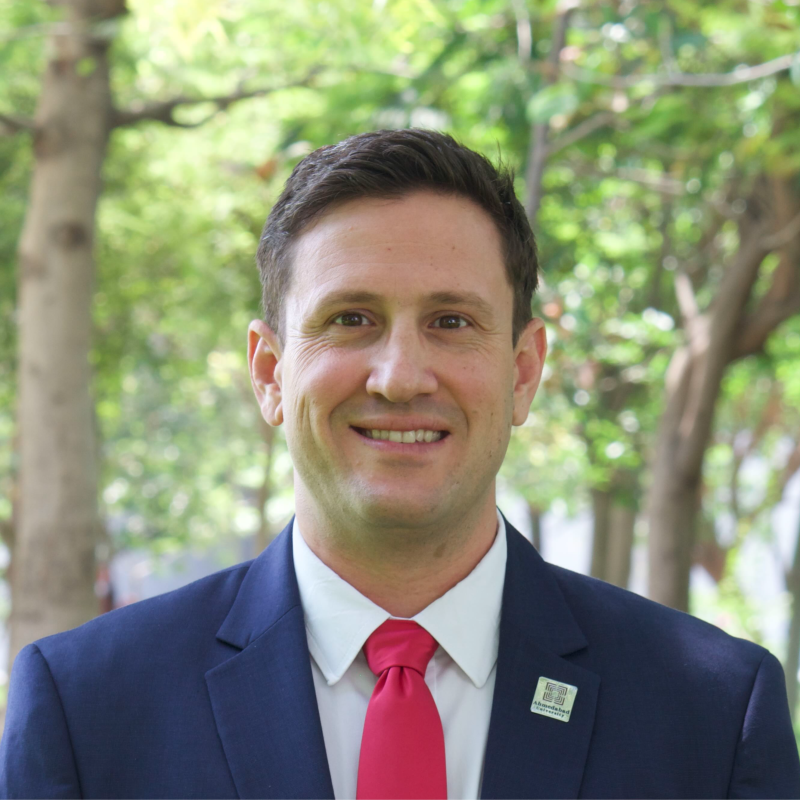
This workshop is taught by Jeremy Fritzhand, CEO of VentureStudio at Ahmedabad University — a startup studio that has supported 186+ ventures and managed ₹23+ Cr in grant funding. He built this class to put the same prompt-first workflow his team uses into anyone's hands.